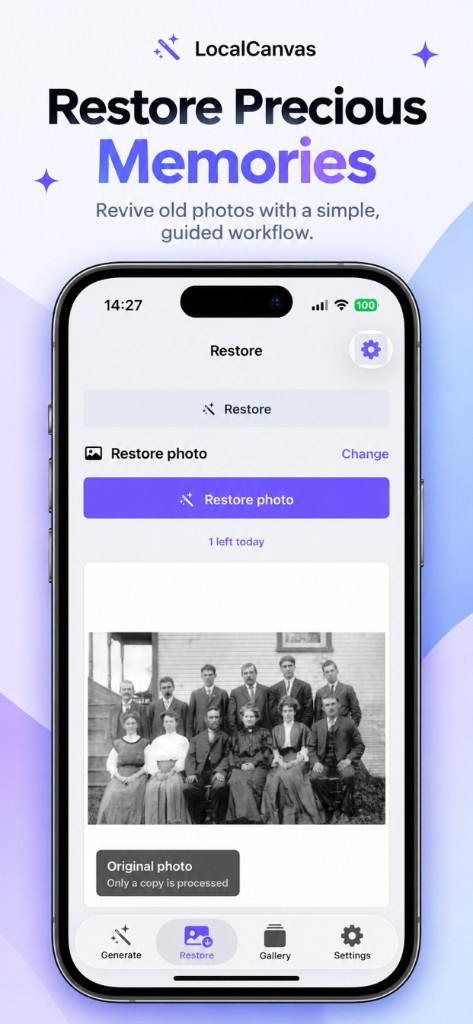
Local Canvas Restore tab showing a black-and-white group portrait labeled original photo, with one restore left today

Guides

How to colorize old photos on iPhone

Pick the scan or the snapshot. Restore colorizes a copy on this iPhone. The file in Photos is not replaced. You can swipe back to the black-and-white frame before you save.

Colorize a photo on device

  1. Open the Restore tab.
  2. Choose the old photo. Confirm the badge says Original photo and Only a copy is processed.
  3. Leave Colorize on. Add Denoise if the print is grainy.
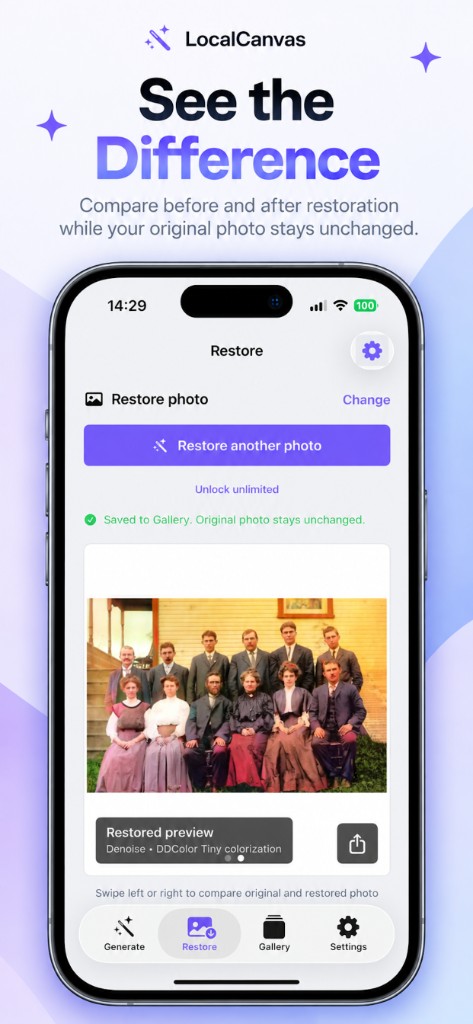
  4. Run Restore photo. Compare with a swipe.
  5. Save. That write uses the free restore slot for the day unless you have Premium.
Why the copy matters

Family prints are easy to ruin with an in-place edit. Local Canvas reads a copy. The overlay on the Restore screen says so before you tap the purple button.

If the colour looks wrong, you still have the library original and you can run again with different toggles.

Local Canvas Restore tab showing a black-and-white group portrait labeled original photo, with one restore left today
Victorian group portrait still black and white, one restore left today.

What the colorize model sees

Colorize uses DDColor Tiny on device. It guesses dyes for sky, cloth, and skin. It is a studio tool, not a historian. Check faces and flags before you send a file to a relative.

Local Canvas Restore tab after colorize and denoise, with a saved colorized family portrait and swipe-to-compare hint
After denoise and DDColor Tiny, the same group sits in colour.

When you should add denoise

Silver grain and phone-of-a-print shots pick up noise. Denoise before you judge the colour. Scratch repair is a separate toggle for physical damage.

Keep the album on the phone

Restore does not show an interstitial. The daily free restore is one successful save.

See Restore

Questions on this task

Will colorize overwrite my Camera Roll?

No. The original stays. Save writes a new image into Gallery.

Does colorize need iCloud?

No. After the restore models download, the run is local.

Related guides